
The link that opens "write a review": where it is and what to do with it
That link opens the review box for your business directly, so customers don't have to search for you. Here's where to get it and how to make the most of it. Valórame, an Android app, turns it into a sign with a QR code.
Make my review sign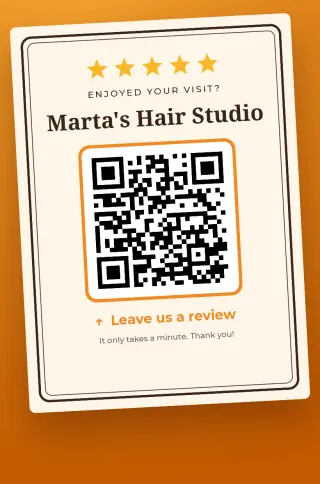
What it is, and why not just any link
The link to your listing on the map leads to your business; the customer still has to scroll, find the reviews and tap to write one. The review link skips all that and opens the box with the stars. Every step you save is one more customer who finishes the review.
It usually looks like this: https://g.page/r/…/review. It's yours, it lasts as long as your profile exists, and it's the same for every customer.
Where to find it
- Open your Business Profile on Google with the owner or manager account. You can search your business name while signed in with that account, or use the Google Maps app.
- Tap "Ask for reviews" (some versions say "Get more reviews").
- Copy the link it shows you.
If you don't see that option, you're most likely on another account or the profile isn't verified yet. Without a profile you own there's no review link.
Test it before you hand it out
- Open it on a phone without your account: you should see the review box for your business, with its name.
- To post, the customer needs to be signed in to a Google account. That's Google's rule, not the link's.
- If you have several locations, each has its own profile and link. Don't mix them up.
Where to put it
The link works anywhere a customer can tap or scan it: in an appointment confirmation, in your email signature, on the receipt, or as a QR code by the till. In person the QR code wins, because the phone is already in their hand. What to say when you ask is in how to ask for reviews.
From link to sign on your phone
In Valórame you type the business name, paste the link and the app makes a sign with stars, your name and the QR code, ready to print or share. If you can't find your link, the app explains where it is and has buttons to open your Business Profile or search your business in Google Maps. No account or sign-up: the data stays on your phone.
Valórame is an independent app with no connection to Google.
Common questions
Does the review link change over time?
It doesn't usually change while your profile exists. Still, if you print a lot of signs, scan one now and then to check it still opens the review box.
My review QR code isn't working. Why?
Scan it with another phone. If it opens the wrong place, the link pasted was not the review link; if it won't scan, the print is too small, glossy or has no white margin around it.
Does Valórame accept any link?
It takes any web link, a short map link included, but it's meant for the review link, such as https://g.page/r/…/review. If what you paste isn't a link, it tells you.
Can I buy reviews or offer a discount for them?
No. Google's rules don't allow paying for or rewarding reviews. A sign in plain view, asking everyone, stays within them.