
How to ask customers for reviews without feeling awkward
Hardly anyone leaves a review unprompted. Plenty will if you ask at the right moment and make it easy. Here's how, and Valórame, an Android app, makes the QR sign for your counter.
Make my review sign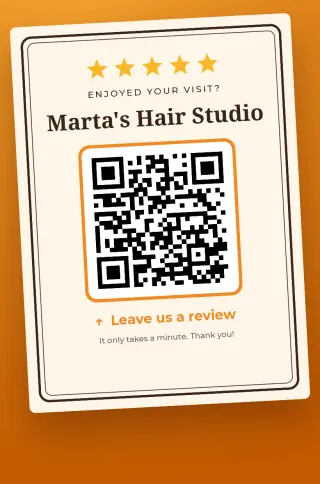
The moment
Right after the good part: handing back the repaired car, finishing the haircut, bringing the bill after a good meal. No speech needed. One line will do:
"If you enjoyed it, a review really helps us. It's right here on this QR code."
Say it the same way to every customer, not only the ones who look happiest.
Where the code goes
- Next to where people pay. Their phone is already in their hand.
- On tables or in the waiting room. People see it before the service, though, so the counter usually works better.
- On the invoice or receipt, for those who'd rather do it at home.
- At eye level and a sensible size, without glare and with a white margin. Test it first.
Do and don't
Do
- Ask everyone equally.
- Make the link easy to reach.
- Reply to all reviews, bad ones included.
Don't
- Offer discounts or gifts in exchange.
- Ask only the happy ones, or steer unhappy ones elsewhere.
- Write them yourself, or have staff or family do it.
That last list isn't just good manners. Google's content policies prohibit fake, incentivized or filtered reviews, and they can remove them or penalize the profile. Fake reviews are also illegal in several markets, including the US and the EU.
When a bad review comes in
- Wait until you've cooled off. Never reply in the heat of the moment.
- Thank them and address the specifics: "We're sorry about the wait on Saturday."
- Offer a direct way to put it right.
People reading your reviews pay as much attention to your reply as to the complaint. And you can only ask Google to remove a review if it breaks the rules, not because you dislike it.
Finding your link
Open your Google Business Profile and look for the option to ask for reviews, which gives you a short link. That's what you paste into Valórame, which walks you through it and turns it into a sign.
Put it on the counter
The sign takes a minute to make. Printing it is up to you.
Make my review sign